
KARE 11 News
TEGNANews & Magazines
4.2920.00 Reviews
- Version
- 50.23.2
- Installs
- 100.00K
- Age Rating
- Everyone
Screenshots
Our Review of KARE 11 News
 Analysis by Appyee
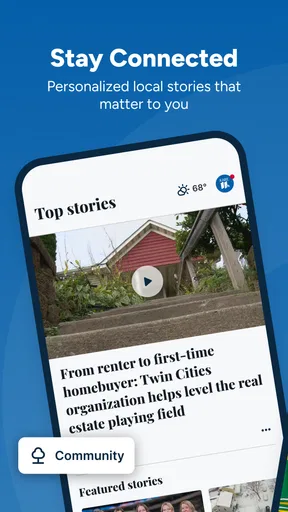
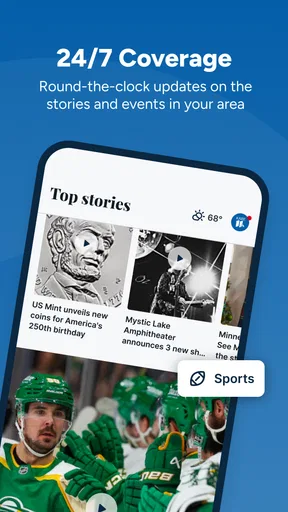
I installed KARE 11 News to see whether it works as a practical way to follow the Twin Cities, rather than treating it as just another headline feed. My overall impression is that it is most useful when you want local reporting, weather information, and live coverage gathered in one place. It feels focused on the needs of people who live in or regularly follow the area, which is a meaningful advantage over broad national news apps that can make local stories difficult to find.
The app is free, belongs to the News & Magazines category, and is developed by TEGNA. Its audience rating is Everyone, so it is suitable for general household use. The current Android version is 50.23.2, and it supports devices running Android 7.1 or later. That older minimum requirement is helpful if you keep an aging phone, although the experience can still depend on how well that device handles video, notifications, and modern app layouts.
How KARE 11 News fits into a local news routine
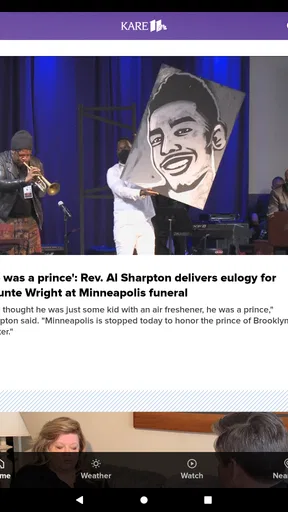
The central value here is not endless content. It is proximity. A national news application may be better for international events, business coverage, or a wide range of opinions, but it usually treats a local traffic disruption, school-related announcement, neighborhood incident, or sudden weather change as a small item among thousands of stories. KARE 11 News gives those Twin Cities concerns a clearer place in your daily routine.
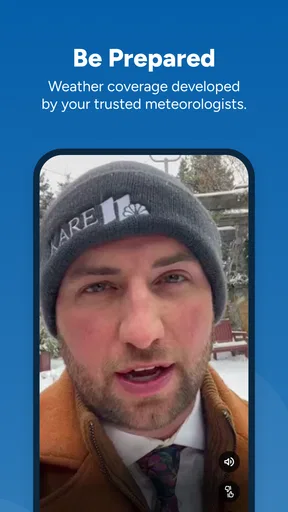
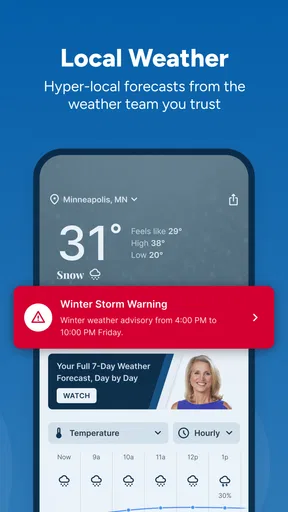
I found the combination of news and weather especially sensible. Many people do not open a local news app because they want to read for an hour; they want to know what is happening before leaving home, during a commute, or while deciding whether outdoor plans still make sense. Having reporting and weather in the same destination reduces the need to jump between a general news feed and a separate forecast app.
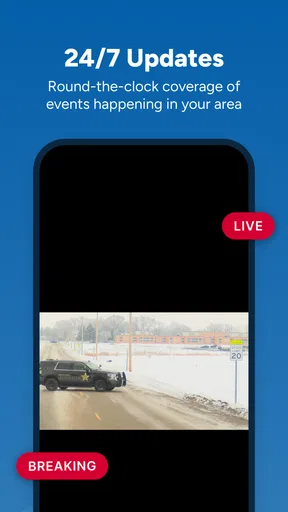
The live video element also changes how the app should be used. Written articles are convenient when you are in a quiet moment, while live coverage is more appropriate when an event is unfolding and the situation may change quickly. That makes the app less like a static newspaper and more like a local information channel you can check throughout the day.
For example, imagine waking up to unusual weather, hearing about a developing road problem, and wanting a local explanation instead of a generic national alert. I would open this app first for the regional angle, check the weather information, and then return later for updates. That workflow is more efficient than searching the web repeatedly, especially when the story is still developing and search results are mixed with older reports.
What the current version suggests about its direction
The current release, 50.23.2, shows that the app is still being maintained as an active mobile product rather than left behind as an old station companion. I would not interpret a version number alone as proof of a particular redesign or feature addition, but it does matter for existing users: a maintained app is more likely to remain compatible with current Android environments and to receive continued attention as viewing habits change.
KARE 11 News has been available since December 18, 2012, so it has had a long time to move from a simple station-branded news utility toward a broader mobile experience. The important evolution is not merely its age. It is the way a local news app now needs to serve several habits at once: quick headline scanning, deeper reading, weather checking, and video viewing. In my experience, that mix makes it more useful than an app designed only to reproduce a television newscast on a phone.
There is a trade-off in that broader approach. A focused news app can feel easier to understand when every screen serves one purpose. Once written stories, weather, and live video share the same product, navigation becomes more important. If you only want a forecast, additional news content may feel like extra movement. If you only want headlines, video sections may be more than you need. The app works best when you accept that it is a local information hub rather than a single-purpose forecast tool.
The app’s scale also gives some context. It has passed 100 thousand installs and holds an average rating of 4.2 from around 2.9 thousand ratings. Those figures suggest a reasonably established audience, but they should not replace your own expectations. A local app can be highly useful to one person and irrelevant to another simply because of location. The strongest reason to install it is connection to the Twin Cities, not the size of its download base.
How it feels for people who already follow KARE 11
If you already watch KARE 11 or recognize its local coverage, the app is a convenient second screen. It lets you keep up without arranging your day around a broadcast schedule. I like that distinction because mobile news is most valuable when it supports short visits: a quick look at the latest local story, a glance at weather, or a return to an ongoing event when you have more time.
Existing users should think of the app as a supplement rather than a complete replacement for every other source. A local newsroom can provide context that a generic alert service lacks, but no single app should be your only source for urgent personal safety decisions. When conditions are serious, I would compare the information with official local instructions and any direct emergency alerts available on the phone.
Another practical point is notification discipline. Local news applications can become irritating if every update is treated as equally urgent. I recommend deciding early which alerts deserve immediate attention and which can wait for a convenient check. If the app offers notification controls on your device, use them deliberately. A smaller, more relevant stream is easier to trust than a constant flow that trains you to dismiss everything.
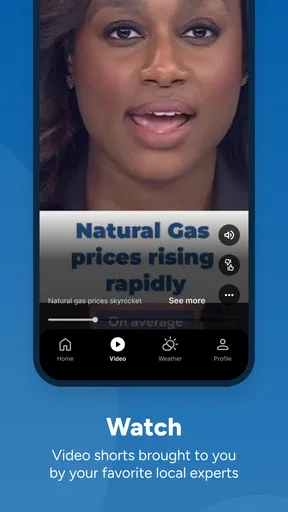
Video users should also approach the app differently from readers. Live video is valuable when seeing the current situation adds something that text cannot convey, such as an unfolding local event or a weather presentation. At other times, reading is the better choice because it is quieter, faster, and easier to pause. Switching between those formats according to the moment is one of the app’s less obvious strengths.
Where the app is stronger than usual alternatives
Compared with a national news application, the clearest benefit is local relevance. National apps are excellent for breadth, personalization, and major stories from around the world. They are less efficient when your real question is, “What matters in the Twin Cities today?” KARE 11 News starts from that local question, which means the app can feel more useful even if it contains fewer subjects overall.
Compared with a web browser, the app provides a more direct habit. A browser search can find local reporting, but it also introduces extra steps and competing sources. When I want a quick regional update, opening a dedicated app is less distracting than searching, choosing a result, accepting a page layout, and trying to determine whether the article is current.
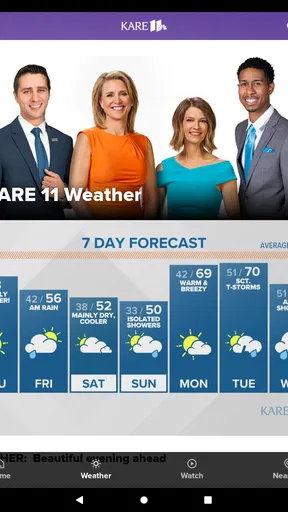
Compared with a weather-only application, KARE 11 News offers context around the forecast. A weather app may be better for detailed charts, long-range planning, or specialized measurements. The local news app is better when weather is part of a larger question: how conditions are affecting the area, what local reporters are covering, and whether a developing situation deserves attention beyond a temperature reading.
Compared with social media, the app is a calmer starting point for local information. Social feeds can surface eyewitness material quickly, but they also mix rumor, repetition, commentary, and unrelated posts. I would rather use KARE 11 News for an initial understanding of a local story, then use other sources only when I need additional perspectives or confirmation.
Small habits that make the app more useful
My first tip is to use it at natural decision points instead of leaving it open continuously. A morning check can cover the main local developments and weather. A second visit before commuting or going outside can reveal changes. Returning during a developing event is more useful than repeatedly refreshing every few minutes, especially when updates arrive in stages.
My second tip is to separate “information I need now” from “stories I want to understand later.” Live video and breaking local updates belong in the first group. Longer articles can wait until you have enough attention to read them properly. This simple distinction prevents the app from becoming a stream of interruptions and helps you get more value from both its fast and slower formats.
My third tip is to use the app as a local filter, not as a substitute for every specialist tool. If you are planning a long drive, a dedicated navigation service may provide more useful route detail. If you are tracking an extended forecast, a weather-focused app may offer a better view. KARE 11 News earns its place when you want the local story surrounding those details, not when you need every possible technical option.
A fourth useful habit is to revisit a developing story rather than judging it from the first headline. Local events can change quickly, and an early report may be brief by necessity. The combination of written updates and live coverage gives you more than one way to follow the same situation. I find that returning later is often better than trying to extract a complete picture from the first notification.
Limitations worth considering before installation
The biggest limitation is geographic. If you do not live in the Twin Cities, work there, have family there, or have another strong reason to follow the region, the app will probably not become a daily essential. A national news service or your own local station’s application may be a better fit. The app’s specialization is its advantage, but specialization also narrows its audience.
It is also not the right choice for someone who wants a highly customizable news reader that combines many publishers. KARE 11 News is centered on one local news identity, so readers who prefer comparing several outlets in one interface may find an aggregator more suitable. That does not make the app weak; it simply means its editorial focus is part of the bargain.
People with limited mobile data should be thoughtful about live video. Video can consume more data and battery than reading short articles, particularly when used away from Wi-Fi. I would save live viewing for moments when it genuinely improves understanding and use text for routine checks. That is a practical compromise, especially on older devices or smaller data plans.
The older Android minimum is friendly to many users, but compatibility is not the same as identical performance. A phone that technically meets the requirement may still feel slower when loading media or moving between sections. If your device is modest, give the app a little time before deciding that its overall design is unsuitable; the bottleneck may be the hardware rather than the local content itself.
Finally, a local news app can sometimes feel repetitive if you check it too frequently during a quiet news cycle. That is normal for a focused regional service. Its purpose is not to manufacture a new major story every time you open it. I prefer to judge it by how well it helps me notice meaningful local developments, not by whether every visit delivers something dramatically different.
Who should install it, and who should skip it
I would recommend KARE 11 News to Twin Cities residents who want a straightforward local news habit, people who depend on regional weather context, and former residents who still care about what is happening in the area. It is also a sensible choice for viewers who want to move from television coverage to a phone without giving up local reporting and live video.
I would skip it if your main interest is international news, national politics, specialist reporting, or a highly personalized multi-source feed. I would also choose a dedicated weather application if detailed forecasting is your only goal. In those situations, this app’s local-news focus would add content without solving your main problem.
For families, the Everyone rating makes it an approachable general news option, but I would still encourage younger readers to discuss difficult stories and breaking events with an adult. A general age rating does not mean every news topic will be emotionally light. The app is suitable for broad use, while the way each household handles news remains a personal decision.
What I would watch as the product continues
Because the app has been around for many years and is now on version 50.23.2, I would watch how it balances familiar local reporting with the expectations of modern mobile users. The most important signs will be practical ones: whether live coverage remains easy to reach, whether weather information stays clear, and whether reading remains comfortable as more media is added.
I would also pay attention to how much control users have over their attention. A good local app should make urgent developments visible without turning every minor update into an interruption. Clear organization and sensible notification choices matter as much as the number of available stories.
Updates should ideally improve the experience for both long-time followers and new users. Existing readers need continuity, while new users need to understand quickly where to find local headlines, weather, and live video. That balance is difficult, but it is the clearest measure of whether the app is evolving in a useful direction rather than simply accumulating more sections.
My final view is positive, with a clear condition: you need a real connection to the Twin Cities. For that audience, KARE 11 News is a convenient free local-news app that brings regional reporting, weather, and live video into one place. It does not replace every news or weather tool, and it is not designed to. Its real strength is making local information easier to reach at the moments when location matters most.
With over 100 thousand installs and a 4.2 average, it has earned a credible place among local news options, while its long availability and current maintenance make it a reasonable app to try. I would install it for quick regional checks, use live video selectively, manage notifications carefully, and keep a broader source available for subjects outside its focus. If that matches the way you follow news, it is worth adding to your phone.
Verdict
Strengths of KARE 11 News
- Fast access to breaking news from Minnesota and the Twin Cities.
- Live weather forecasts, radar, and severe weather alerts are easy to find.
- Video reports add useful context beyond short written headlines.
- Local traffic and community coverage make it practical for daily use.
- Push notifications can keep you informed about important regional events.
Limitations of KARE 11 News
- Frequent notifications may feel excessive unless alert preferences are adjusted.
- Some articles include advertising that can interrupt the reading experience.
- Coverage is mainly regional and offers limited value outside Minnesota.
- Video content may use significant mobile data when watched over cellular networks.
- Occasional loading delays can occur during major breaking-news events.
Other Releases by TEGNA
View All
WFAA - News from North Texas
News & Magazines4.2

Cleveland News from WKYC
News & Magazines4.2

Knoxville News from WBIR
News & Magazines4.6

Arkansas News from THV11
News & Magazines4.5
Similar Picks in This Category
View All
Google News - Daily Headlines
Google LLC4.0

X
X Corp.4.8

Flipboard:Your Social Magazine
Flipboard3.4

Opera News: breaking & local
Opera4.5

Hindi News by Dainik Bhaskar
Dainik Bhaskar Group4.0

Way2News Daily News App
Way2News ( Formerly Way2SMS )4.6
Frequently Asked Questions
What is the KARE 11 News app?
KARE 11 News is the mobile application from the Minneapolis–St. Paul NBC affiliate, designed to keep users informed about local, regional, national, and weather-related news. After exploring the app, its main sections are easy to understand, with access to breaking stories, video reports, live coverage, forecasts, traffic information, and updates relevant to communities across Minnesota.
Can I watch live news and video reports in the KARE 11 News app?
Yes, the app includes video content and may provide live news coverage, depending on the programming schedule, location, and current availability. Users can watch selected reports, interviews, weather segments, and breaking-news updates directly from their phones. A reliable internet connection is recommended, especially for live streaming, since video quality and playback can vary with network speed.
Does KARE 11 News provide local weather forecasts and severe-weather alerts?
Weather is one of the app’s most useful features for people in the KARE 11 viewing area. It offers current conditions, forecasts, radar-related information, and updates from the station’s meteorologists. Depending on your settings and location, you may also receive notifications about severe storms or other important weather developments, although alert availability can vary.
Is the KARE 11 News app free to download and use?
The KARE 11 News app is generally free to download and use on supported Android and iOS devices. You can browse articles, view many videos, check weather information, and receive news updates without paying a subscription fee. However, mobile data charges may apply when using cellular networks, and some content or features could depend on regional availability.
Does the KARE 11 News app require location access or notifications?
Location access is not always required to read news, but allowing it can improve the experience by showing weather forecasts and alerts for your area. Notifications are also optional, although enabling them can help you receive breaking-news headlines, severe-weather warnings, and other timely updates. You can manage both permissions through your device settings after installing the app.
